APK Protector: mobile app-hardening for Android builds
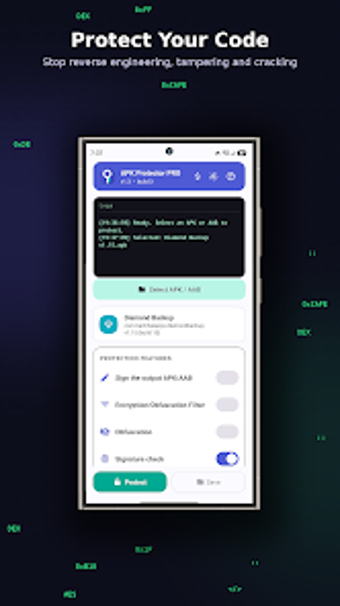
APK Protector from Bachhal Apps secures compiled Android packages by applying multi-layer protections to final builds, aimed at developers and indie studios who need to protect app logic. The app takes APK or AAB files, encrypts compiled code with AES-256, and wraps decryption inside a hardened native security core at runtime. Its anti-tamper and anti-debug mechanisms block common reverse-engineering tools, making it suitable for teams that distribute binaries but cannot or prefer not to modify source builds.
What does APK Protector actually do?
The app accepts APK and AAB input files and transforms the compiled output without requiring source code access, as the tool supports both formats directly. It applies string encryption, control-flow obfuscation, and resource confusion so static analysis yields scrambled results. Encrypted bytecode is stored on disk but decrypted inside a native security core at runtime, so readable bytecode never appears on the device storage.
Does it slow down your system or the protected app during runtime?
Protection occurs at build-time on the Android device that runs the tool, so device resource use depends on the mobile hardware; the protected apps themselves require Android 9 or higher because the security core executes there. Runtime overhead comes from on-the-fly decryption inside the native core, which means protected apps perform an extra decryption step before normal execution; developers should test performance on target devices to measure that overhead for their workloads.
Is it safe to use on production builds and what defenses are included?
The app includes explicit anti-tamper checks that detect signature or code modifications and prevent execution after repackaging, and it detects debuggers and hooking frameworks such as Frida and Xposed. It also offers options to block rooted devices, emulators, and virtual containers, and uses AES-256 encryption for compiled logic so decryption keys are not stored as plain text on disk.
Do I need technical knowledge to protect an app with this tool?
The interface is mobile-based and supports a no-code workflow where the user selects a file and chooses protection levels, so basic protection can be applied without modifying build systems. Advanced use requires understanding of obfuscation trade-offs and runtime compatibility, because protected packages and the security core mandate Android 9 or higher and certain runtime behaviors that affect debugging and instrumentation.
Clear choice for developers who must protect distributed binaries
APK Protector is a practical option for developers and small studios that need to harden released APKs or AABs without source integration; it applies AES-256 encryption and anti-debugging measures while offering no-code file protection on-device. The trade-off is added runtime decryption and stricter execution constraints, so teams should validate performance and compatibility on target devices before deploying to users. Recommended.